
Stripe - ACH Verification Process
ACH Verification Process for Stripe
Stripe Manual ACH Validation Process
This guide explains how to complete the ACH validation process required for your bank account. Follow the steps below to verify your account and start using ACH payments securely.
Overview
To ensure your bank account can securely process transactions, Stripe requires verification through a one-cent micro-deposit sent to your account. This deposit includes a unique 6-digit code that you’ll need to confirm to complete the process.
Step-by-Step Process
1. Check Your Email for the Verification Link
- After completing checkout, you’ll receive an email from Shuttle Global with a link to start the verification process.
- The email will inform you that a one-cent deposit has been sent to your bank account. This deposit will typically appear within 1-2 business days.
Tip: Look for a description that includes a code starting with "SM" (e.g., "SM1234").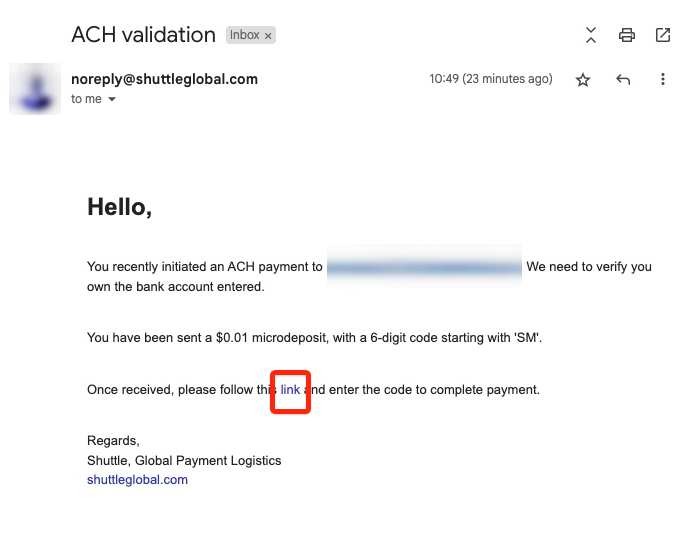
2. Locate the Verification Code in Your Bank Statement
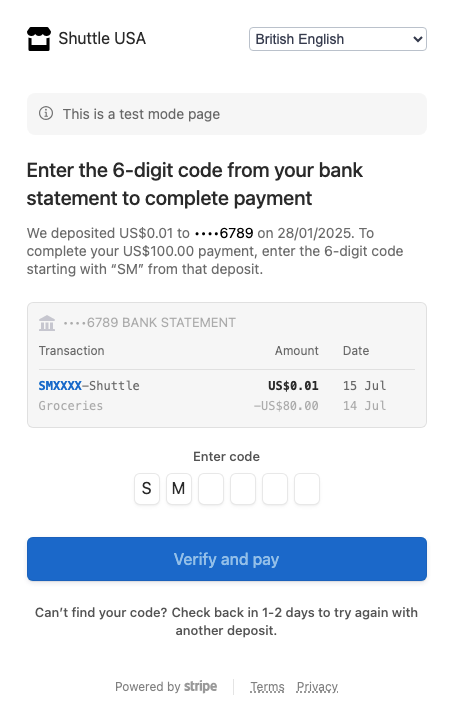
- Check your bank statement for the one-cent deposit.
- Find the 6-digit code included in the transaction description. It will begin with "SM."
3. Enter the Verification Code
- Click the link provided in the email to access the verification page.
- Enter the 6-digit code exactly as it appears in your bank statement.
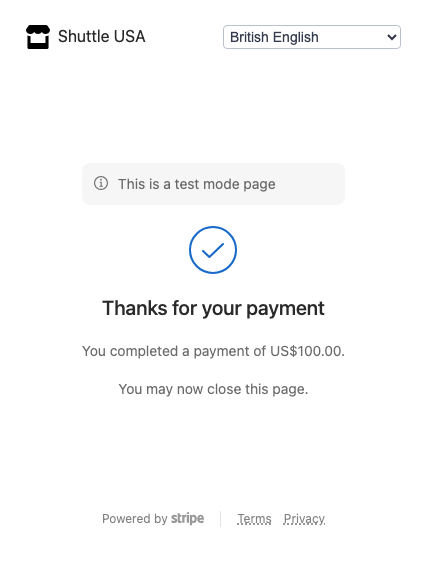
- Click Verify and Pay to complete the verification process.
Common Issues and Troubleshooting
- Didn’t receive the micro-deposit?
- Double-check that your bank account details were entered correctly during checkout.
- Wait up to 2 business days for the deposit to appear.
- Can’t find the verification code?
- Some banks may not display the full transaction description. Contact your bank if necessary.
- If you’re unable to locate the code, click "Send another deposit" on the verification page to restart the process.
- Entered the wrong verification code?
- Review your bank statement carefully and try again.
- If you’ve made several unsuccessful attempts, contact our support team to restart the process.
FAQs
- How long does ACH verification take? The one-cent micro-deposit usually appears in your account within 1-2 business days.
- What happens if I enter the wrong code? After 10 failed attempts, Stripe will block further verification attempts. You will need to restart a new transaction to restart the process.