HOW TO REFUND A PAYMENT/TRANSACTION
Here is a step-by-step guide on how to initiate a payment/transaction refund.
STEPS
Step 1: Log in to your user account by visiting https://merchant.shuttleglobal.com/login
Provide your email address and password, then click on "Sign in".
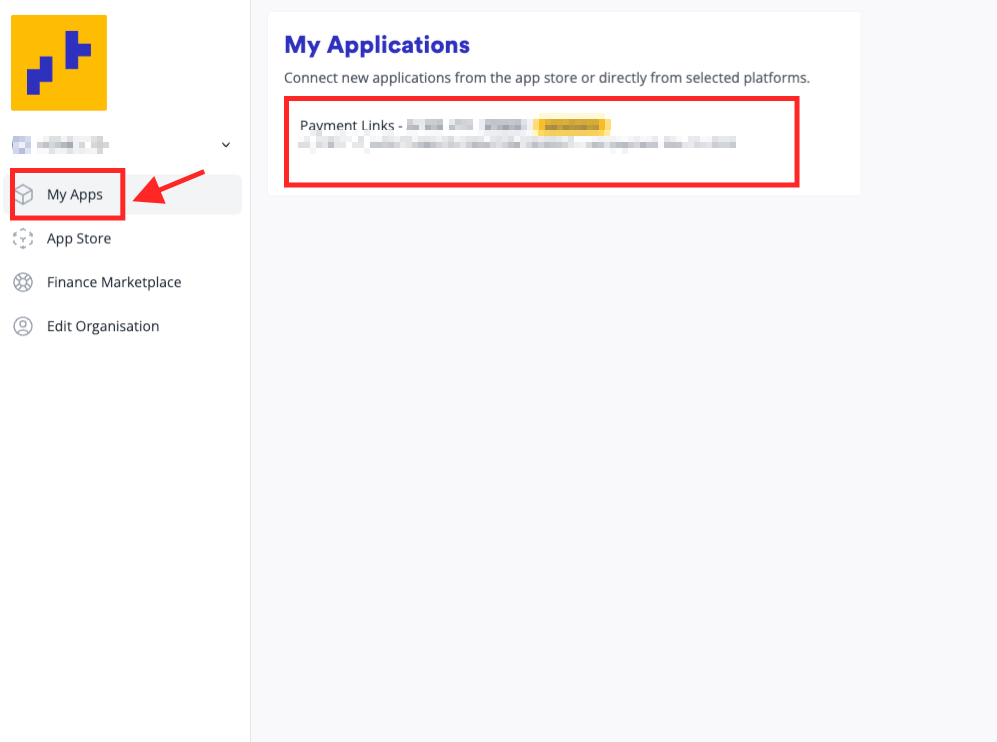
Step 2: A fresh page will appear, featuring a "My Apps" section on the left side, where you can find your payment link. Click on it.
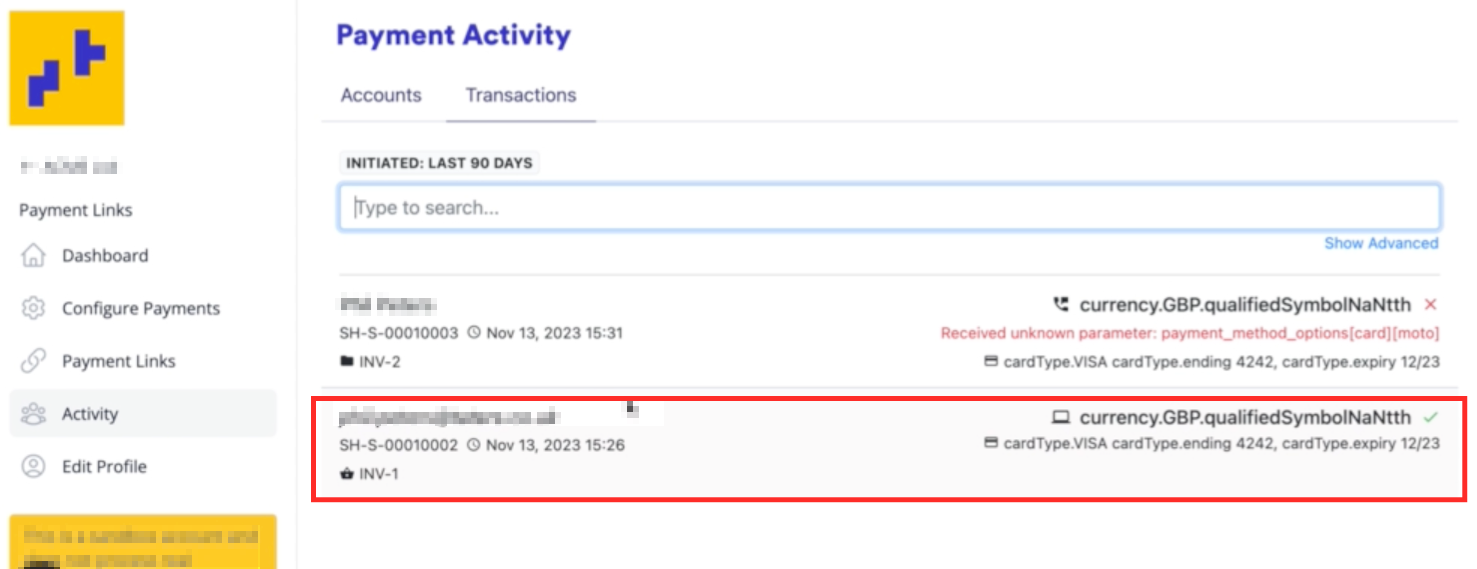
Step 3: Navigate to the Activity tab and select Transactions, where you can view all your payment transactions. Choose the payment you wish to initiate a refund for.
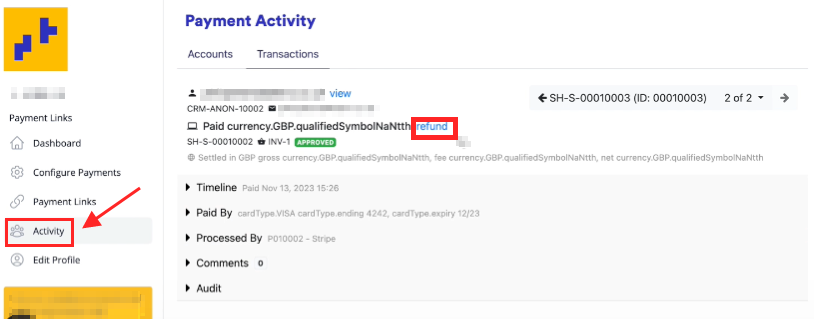
Step 4: Click the "refund" button.
Step 5: You have the option to either refund the entire or partial amount. Provide a reason for refunding. The click "Refund via Stripe".
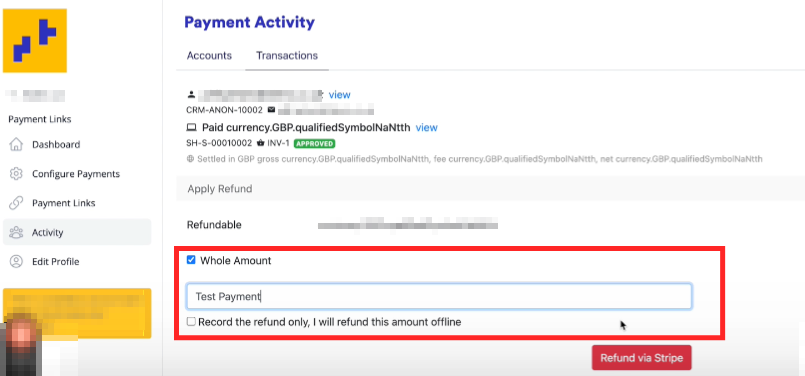
"Record the refund only, I will refund this amount offline" -- Kindly avoid selecting the checkbox if you truly want us to continue processing the refund. This feature is designed specifically for those who want to document the refund without triggering the actual refund process.
Step 6: You will be prompted to confirm whether you wish to proceed with the refund.
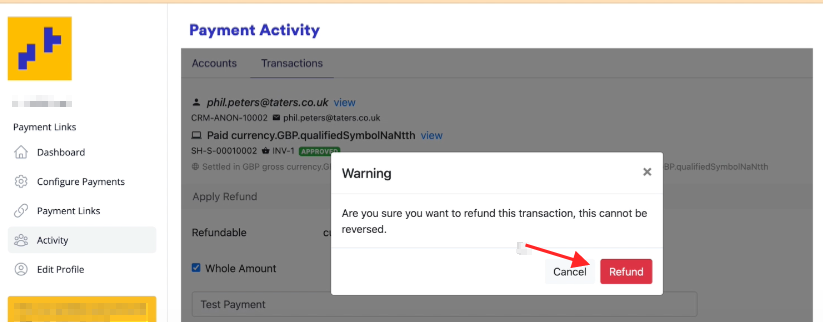
Step 7: A page will shows that the refund was successful
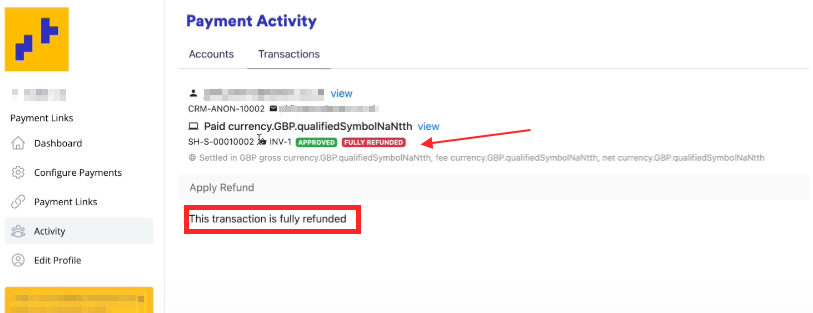
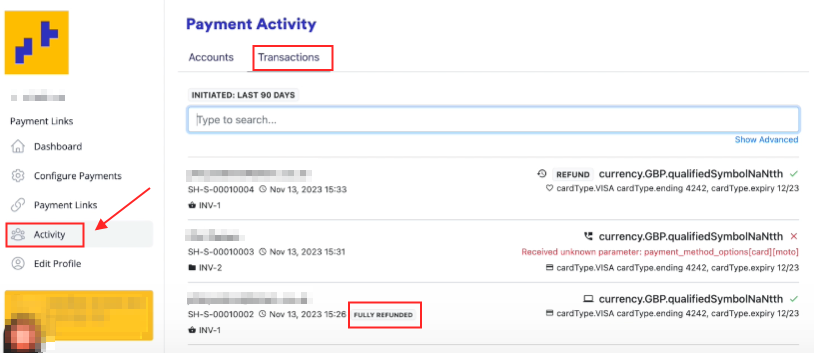
Step 8: If you return to the Activity section and navigate to the Transactions tab, you will see that the payment was fully refunded.