Connecting Worldpay
How to connect Worldpay
Worldpay is a mature company with several gateway products, Shuttle supports the Worldpay Access product (2025) which is their strategic platform moving forward.
Note: If you're a WPG XML Gateway user, speak to Worldpay to get Worldpay Access enabled on your account.
Setup
- To connect to Worldpay access you will need the following information which you can acquire from Worldpay support:
- Username (alpha numeric guid)
- Password (alpha numeric guid)
- Entity
- Merchant name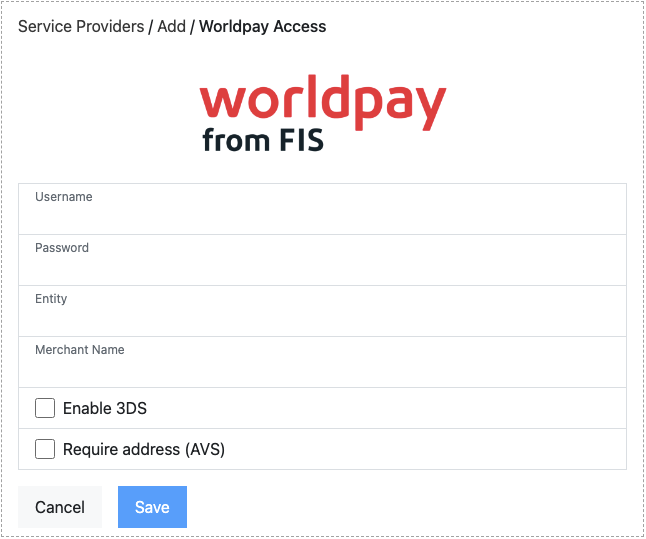
- You should set:
- Enable 3DS: to reflect if 3DS has been enabled on your Worldpay account, this will ensure the correct UX is provided for 3DS.
- Require AVS: to reflect if AVS has been enabled on your Worldpay account, this will ensure the correct UX is provided for AVS.
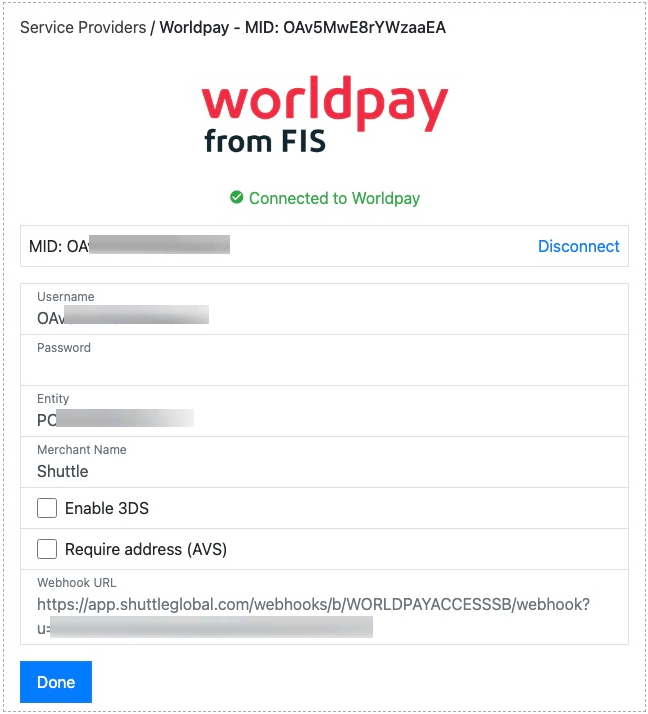
- Once “Save”, the connection to Worldpay will be tested. If successful, a green "Connected to Worldpay" will be displayed.
- Once connected, you'll be provided a webhook URL which you should supply to Worldpay support who will configure this on your Worldpay Access account. This will ensure that asynchronous payment updates from Worldpay will be reflected in your Shuttle account. Please copy it in full, including the query parameter string.